

Planera din resa
Ont om tid? Berätta vart du ska.
Reseplaneraren väljer ett eSIM för dina resedatum och visar det faktiska priset.
Short answer: most travellers need between 0.25 GB and 1.2 GB of mobile data a day. Messaging, email and maps use about 0.25 GB a day; add social media and music and it is about 0.6 GB; with video and video calls, about 1.2 GB. A week of normal use comes to 4 to 5 GB.
Video uses more data than anything else on a trip, so it decides how much data you need. An hour of Google Maps navigation uses around 12 MB; an hour of Netflix in HD can use up to 3 GB.
This guide gives per-hour figures for the apps travellers use most, from the app makers' own help pages where they publish them and from UK and US carriers where they do not. Then it turns them into per-day and per-trip totals, with the plan sizes that fit. All figures were checked on 29 September 2026.
How much data do I need per day?
For a typical trip, plan on 0.25 GB a day for light use, 0.6 GB for normal use and 1.2 GB for heavy use. These are the figures Aynet uses when it recommends a plan, and they assume you have hotel Wi-Fi in the evenings.
| How you use your phone | Per day | 7 days | 14 days |
|---|---|---|---|
| Light: messages, email, maps | about 0.25 GB | about 1.75 GB | about 3.5 GB |
| Normal: plus Instagram, music, photo sharing | about 0.6 GB | about 4.2 GB | about 8.4 GB |
| Heavy: plus video, TikTok, video calls | about 1.2 GB | about 8.4 GB | about 16.8 GB |
Add a little room on top. Running out is only an inconvenience on a prepaid plan, because you can top up the same eSIM, but it is still one more thing to do on holiday.
For a number tailored to your apps and days, the data calculator does the sums for you.
How much data does each app use per hour?
Streaming video uses the most by far, then video calls and short-form video; maps and music use very little.
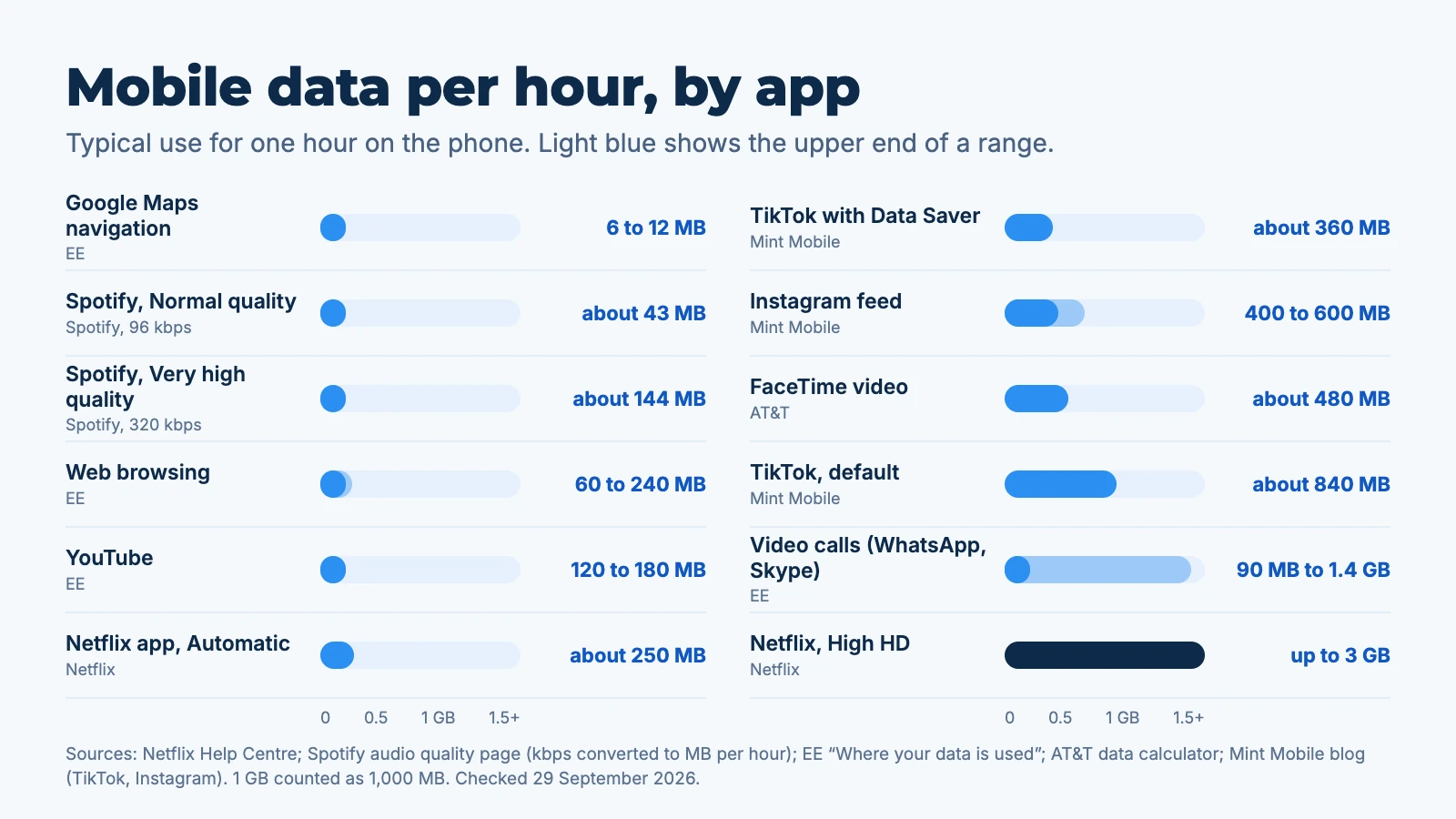
| App or activity | Data per hour | Source |
|---|---|---|
| Google Maps navigation | 6 to 12 MB | EE |
| Spotify, Normal quality | about 43 MB | Spotify (96 kbps) |
| Spotify, Very high quality | about 144 MB | Spotify (320 kbps) |
| Web browsing | 60 to 240 MB | EE |
| YouTube | 120 to 180 MB | EE |
| Netflix app, Automatic | about 250 MB | Netflix |
| TikTok with Data Saver | about 360 MB | Mint Mobile |
| Instagram feed | 400 to 600 MB | Mint Mobile |
| FaceTime video | about 480 MB | AT&T |
| TikTok, default | about 840 MB | Mint Mobile |
| Video calls (WhatsApp, Skype) | 90 MB to 1.4 GB | EE |
| Netflix, High quality HD | up to 3 GB | Netflix |
Where an app maker publishes no figure, the number comes from a carrier and is an average; your real use depends on quality settings and how long you actually scroll.
How much data does Google Maps use?
Google Maps uses very little: EE puts navigation at 100 to 200 KB a minute, which is roughly 6 to 12 MB an hour. Google does not publish its own figure.
You can bring that close to zero with offline maps. In the Maps app, tap your profile, then Offline maps, and download the area on Wi-Fi before you go. Google notes that offline maps give driving directions only, without transit, cycling or walking directions or live traffic, and that they update themselves on Wi-Fi when 15 days or less remain before they expire.

How much data does YouTube use?
EE's figure is 2 to 3 MB a minute, or about 120 to 180 MB an hour, without stating the quality. Higher resolutions use more. Google does not publish MB figures, but YouTube's settings let you pick Data saver for mobile networks under Video quality preferences, which is worth switching on for a trip.
How much data does Netflix use?
Netflix publishes exact figures. In the mobile app, the Automatic setting uses about 1 GB every 4 hours (about 250 MB an hour), Save Data about 1 GB every 6 hours, and Maximum Data 1 GB per 20 minutes or more. On the account's playback settings, High quality uses up to 3 GB an hour in HD and up to 7 GB an hour in 4K.
The data-free option is downloads: save episodes over hotel Wi-Fi and watch them offline on the move.
How much data does FaceTime use?
AT&T's data calculator puts video conferencing, FaceTime included, at about 480 MB an hour. Apple does not publish a figure, but it says that Low Data Mode optimises FaceTime video bitrate for lower bandwidth. We found no published figure for FaceTime audio calls; audio-only calls use far less than video.
How much data does TikTok use?
About 840 MB an hour by default and about 360 MB an hour with Data Saver switched on, according to Mint Mobile, which cites testing by WhistleOut Australia. TikTok does not publish official figures. The Data Saver switch is in Settings and privacy, under Cache and cellular.
An hour of TikTok a day is about 6 GB over a week, more than a 5 GB plan holds.
How much data does WhatsApp use?
Text messages use almost nothing; calls are what count. WhatsApp does not publish figures, and no carrier we found gives a WhatsApp-specific number. EE's general figure for video calls is 90 MB to 1.4 GB an hour, depending on quality, and voice calls use a fraction of that.
Photos, videos and voice notes you receive also download automatically by default. Setting media auto-download to Wi-Fi only in WhatsApp's storage and data settings is the easiest saving.
How much data does Instagram use?
About 400 to 600 MB an hour of feed scrolling, according to Mint Mobile, citing tests by GuidingTech and TechAdvisor. Reels and Stories are video, so heavy Reels use sits at the top of that range. Instagram's own help centre says you can stop it preloading videos over mobile data, under Settings and privacy, Data usage and media quality.
What uses data without you noticing?
Background activity, mainly app updates and photo backups. Switch them off before you land.
- On iPhone, turn on Low Data Mode for the travel line (Settings, Mobile Service, Mobile Data Options, Data Mode). Apple says it turns off Background App Refresh and automatic downloads and backups.
- On Android, turn on Data Saver (Settings, Network and internet, Data Saver), which Google says limits most apps to background data over Wi-Fi.
- In the Google Play Store, set Auto-update apps to "Over Wi-Fi only". On iPhone, turn off App Updates for mobile data under App Store settings.
- Set iCloud Photos or Google Photos to back up on Wi-Fi only.
If you share your connection with a laptop, expect heavier use: laptops fetch system updates freely.
Worth knowing: the Aynet trip advisor sizes the plan from these per-day figures and the apps you mention, so you do not have to add it up yourself.
How much data do I need for 1 or 2 weeks abroad?
For a week of normal use, a 5 GB plan covers it; for two weeks, 10 GB. Light users can halve that, and heavy video users should double it. Here is how that maps onto real plans, with prices from the Aynet catalogue on 29 September 2026:
| Trip | Estimated need (normal use) | A plan that fits |
|---|---|---|
| 7 days in Turkey | about 4.2 GB | Turkey Smart 5 GB, 30 days, €5.99 |
| 10 days in Turkey | about 6 GB | Turkey Smart 10 GB, 30 days, €7.99 |
| 7 days in the USA | about 4.2 GB | USA Smart 5 GB, 30 days, €7.99 |
| 14 days in Thailand | about 8.4 GB | Thailand Smart 10 GB, 30 days, €10.99 |
Each plan runs on a named network: Vodafone Türkiye in Turkey, Verizon and AT&T in the USA, and TrueMove H and DTAC in Thailand. See the full list on the Turkey, USA and Thailand pages. The USA plan is for visitors; US residents cannot use it.
If you are coming from a UK network, it is worth comparing these with your roaming pass: see EE roaming charges vs a travel eSIM. And if the eSIM itself is new to you, how does an eSIM work explains the setup.
In short: size the plan to your heaviest habit, usually video, and let Wi-Fi handle the downloads.
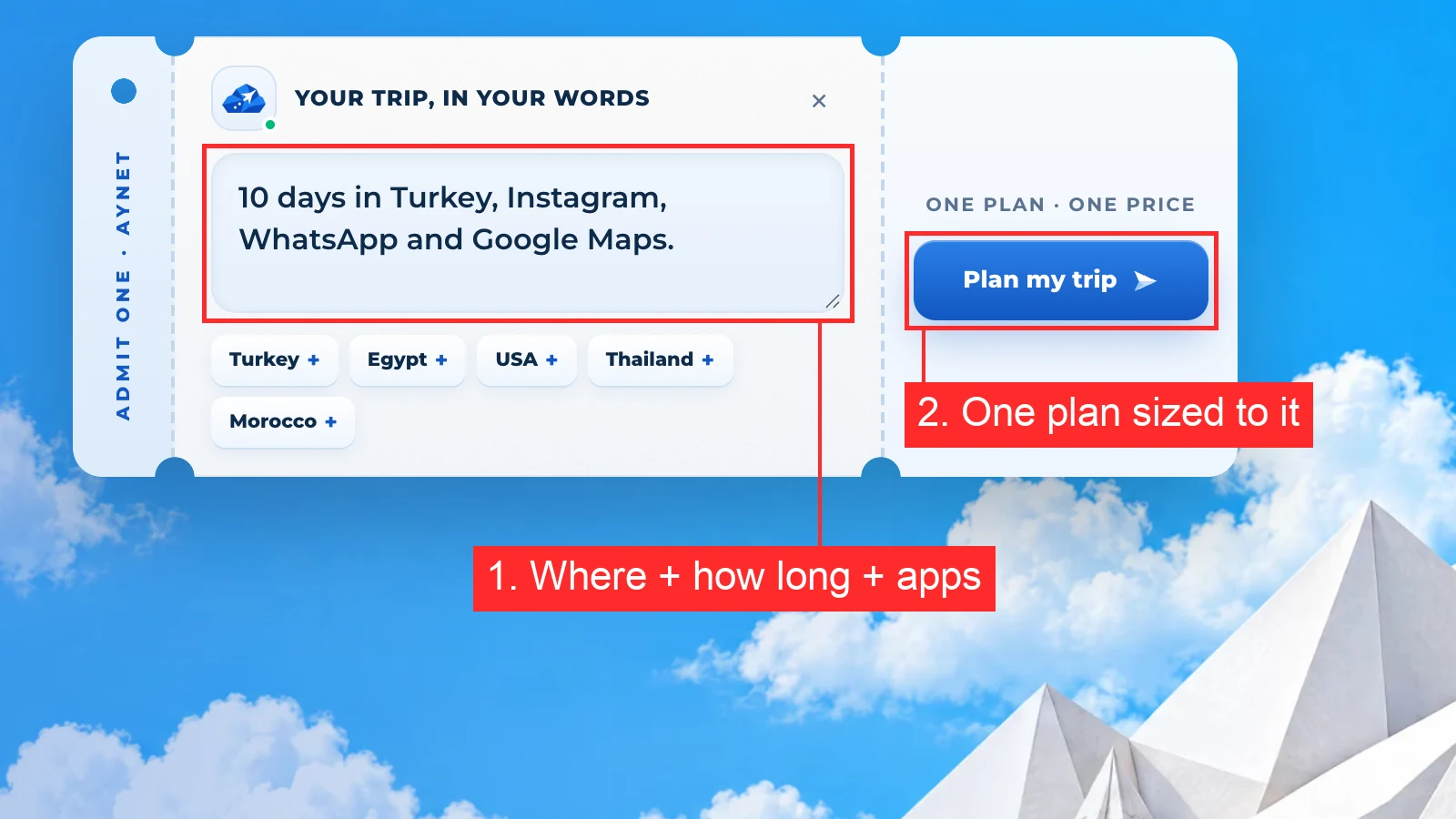
Not sure which size fits? Tell Aynet your trip and the apps you use and get one plan recommendation with the reasoning shown.
FAQ
How much data do I need for a week abroad?
About 4 to 5 GB for normal use: maps, messaging, social media and some music. Light users who mainly message and navigate need about 2 GB, and people who stream video or make video calls daily need 8 GB or more. Hotel Wi-Fi in the evenings keeps usage down.
How much data do I need for 2 weeks of travel?
About 8 to 10 GB for normal use, based on 0.6 GB a day. Light users need around 3.5 GB and heavy video users around 17 GB. A 10 GB plan covers most two-week trips.
Is 1 GB of data a day enough?
Yes, for light and normal use. 1 GB a day covers maps, messaging, browsing and social media; daily video or long video calls push you past it.
How much data does an hour of Google Maps use?
About 6 to 12 MB an hour of navigation, according to EE. Downloading offline maps on Wi-Fi before you go brings that close to zero for driving directions.
What happens if I run out of data on a travel eSIM?
On a prepaid travel eSIM, mobile data simply stops, with no surprise charges. On Aynet you can top up the same eSIM from My eSIMs without a new QR code.
How can I use less data while travelling?
Download maps, playlists and shows on Wi-Fi, set app updates and photo backups to Wi-Fi only, and turn on Low Data Mode (iPhone) or Data Saver (Android). Lower the video quality in YouTube, Netflix and TikTok for mobile data.
Sources: Netflix, How much data does Netflix use, Spotify, Audio quality, EE, Where your data is used, AT&T, Data calculator, Mint Mobile, TikTok data use, Mint Mobile, Instagram data use, Instagram Help, Mobile data, YouTube Help, Video quality, Google Maps Help, Offline maps, Apple, Low Data Mode, Google Pixel, Data Saver, Google Play, Auto-update apps, Aynet catalogue, 29 September 2026. All checked 29 September 2026.
Redo när du är det
Redo att planera din resa?
Beskriv vart du ska åka och få en tydlig eSIM-rekommendation med ett faktiskt pris.
- #Data Usage
- #Planning
Om författaren
Taha Latif
Design and analytics
Leads design and analytics at Aynet, from the trip planner to the eSIM install flow.